12 MiniBattles Unblocked — Play Free Online
More Party & Mini-Games games
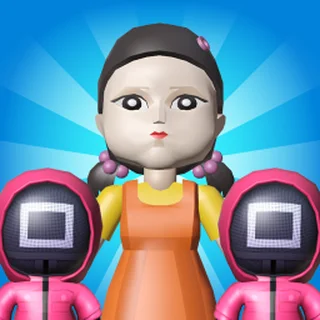
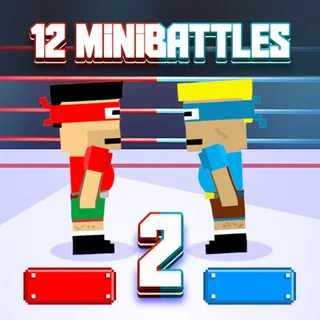




12 MiniBattles unblocked: play 12 MiniBattles online free right here in your browser — no download, no sign-up, works on a school Chromebook.
12 MiniBattles is a rapid-fire local multiplayer showdown where two players compete across a randomized gauntlet of physics mini-games. Built by Shared Dreams Studios, the entire game strips competitive dueling down to its absolute essentials: one button per person, frantic five-second rounds, and instant momentum shifts. Whether you are tossing axes across an arena, timing a sniper shot in the desert, or shoving your opponent off a wrestling mat, every battle is decided in the blink of an eye.
For visitors browsing Squid Game, 12 MiniBattles offers that same sudden-death tension where a single miscalculation results in immediate elimination. Instead of managing complex control schemes, both players share a single keyboard and rely entirely on split-second reaction timing, rhythm reading, and psychological pressure. Matches move at a blistering pace, making it virtually impossible to stop after just one round.
The variety of mini-duels keeps players on edge from match to match. One moment you are angling an arrow trajectory against gravity, and the next you are tapping frantically to keep a helicopter airborne or timing a soccer strike past a lunging goalkeeper. Because round assignments are randomized, victory demands quick adaptation rather than memorized routines.
How to play
Each match is a local two-player duel on a single device. Player 1 controls their character using the A key on the left side of the keyboard, while Player 2 controls their character using the L key on the right side. On touch-screen devices, each player taps their dedicated on-screen button.
Every mini-game uses the same single-key mechanism in a distinct way:
- Tap actions: In racing, swimming, and tug-of-war challenges, rapid repeated taps build speed or pulling force.
- Hold and release: In archery, golf, and throwing events, holding down your key charges power or cycles the aiming angle, and releasing fires the projectile.
- Rhythm and timing: In cowboy duels, boxing, and sword clashes, waiting for the exact opening before striking beats mindless button mashing.
Winning a mini-game earns a victory point. The player who reaches the target score first wins the overall match and claims bragging rights.
Tips for winning duels
- Watch the angle meters closely: In projectile challenges like archery and knife throwing, aiming arcs cycle continuously. Track the bounce pattern and release slightly early to account for weapon travel time.
- Patience beats button spam: In quick-draw and melee clashes, pressing your button too early often leaves you vulnerable to a counter-attack. Wait for the signal or incoming swing before committing.
- Anticipate the physics recoil: Many duels feature loose ragdoll physics. Landing an attack often pushes your character backward, so position yourself away from stage hazards immediately after connecting.
Similar games on Squid Game
If you enjoy the sudden-death competition and reflex-driven challenges in 12 MiniBattles, the catalogue features several great alternatives. Level Devil delivers deceptive platforming trials with unexpected trap triggers, while Short Life and Short Life 2 test your obstacle navigation through high-stakes physics hazards. For arena survival and knockout pressure, NuggetRoyale.io pits you against a frantic crowd where only the last standing player survives.
12 MiniBattles requires no downloads, plugins, or account setup to enjoy. It runs seamlessly in modern desktop browsers, making it an ideal choice for quick friendly rivalries between classes, during lunch breaks, or alongside family at home.
Questions about 12 MiniBattles
Is 12 MiniBattles unblocked at school?
12 MiniBattles runs in an ordinary browser tab from squid-game.pro, with nothing to download or install, so it plays on most school Chromebooks and work computers. If a network filter blocks the site, only that network's administrator can change it.
What are the default controls for 12 MiniBattles?
Player 1 presses the A key and Player 2 presses the L key. Most mini-games rely on tapping or holding that single button to jump, swing, shoot, or charge.
Can two people play on the same keyboard?
Yes, 12 MiniBattles is built specifically for shared local play. Both participants sit side by side at one keyboard using their dedicated action keys.
Is there a single-player mode against the computer?
The core experience is designed around head-to-head two-player matches, though certain mini-game modes allow solo practice against automated timing.
Do you need to install any software to play?
No installation or account registration is required. The HTML5 game runs directly inside any standard desktop web browser.